Last updated by at .

Looking to upgrade to Windows 8? A review of the Windows 8 upgrade.

8121242759 bf220572a4 m Looking to upgrade to Windows 8? A review of the Windows 8 upgrade.

Windows 8 start, Windows 8—topgold (Flickr.com)

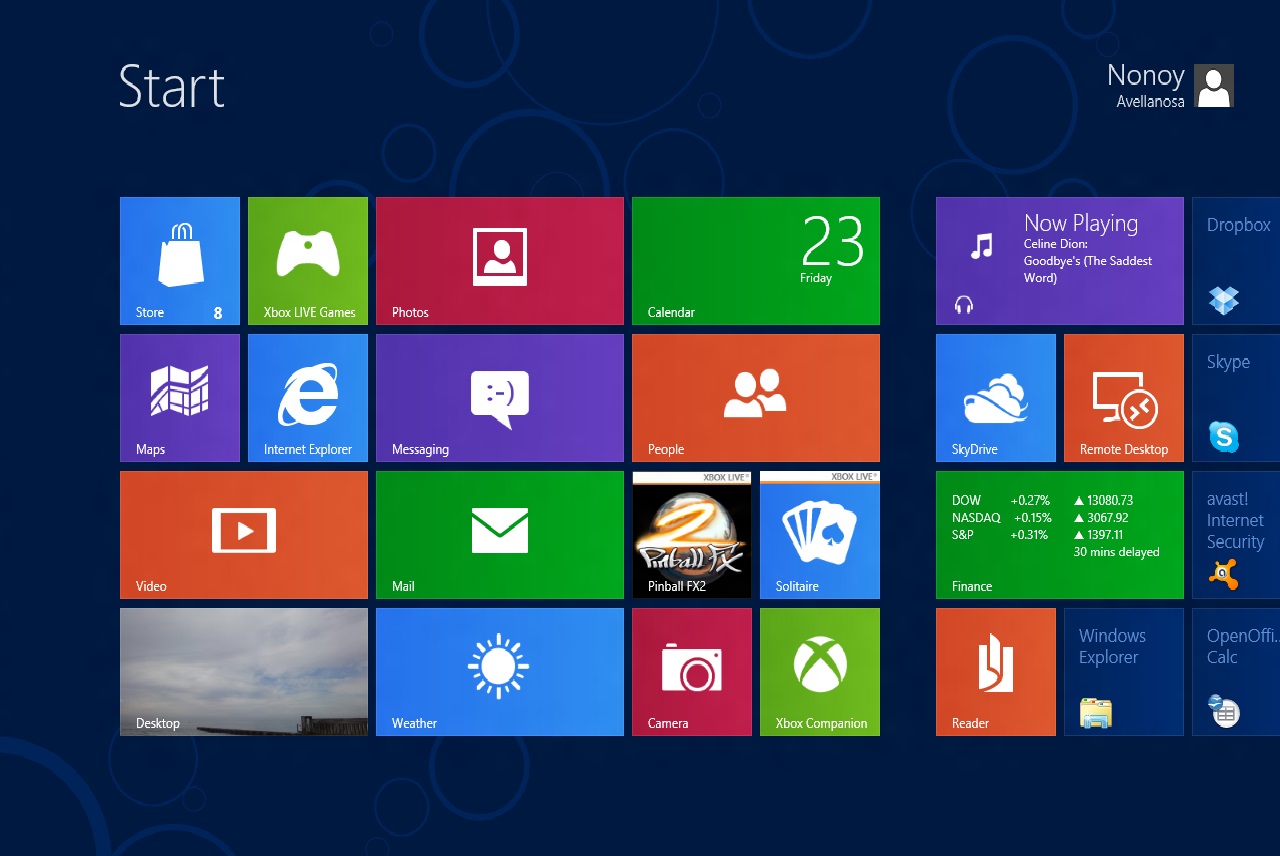
Windows 8 is here and the response seems to be mixed in terms of how Microsoft’s new operating system is being received by consumers, both residential and business. As Windows 8 is new, in terms of computer repair we have not had to work with this operating system too much. All of us have taken the time to learn the operating system during the open beta, and we have had a few customers in for a Windows 8 downgrade or minor bug fixes. So far the majority has been setting up new computers with a Windows 8 upgrade, transferring data from old computers, adding user accounts, and of course tutorials on how to use this new Windows 8 interface.

7039000185 4179132c76 Looking to upgrade to Windows 8? A review of the Windows 8 upgrade.

Windows 8 Start Screen Tiles and Windows Phone 7 S…—Filip Skakun (Flickr.com)

As usual when Microsoft releases a new operating system, we get asked about upgrading. Our experiences are mixed in terms of how Windows 8 benefits users. I see where Microsoft is going with this. They have the only operating system which is nearly seamless across the smartphone, tablet, and PC market. This is where Microsoft is hedging it’s future; that customers don’t want to have to learn one operating system to run their desktop, another to play with their tablet, and another to use their phone. By making an operating system which works across all these main devices, it simplifies the learning curve and makes buying future products which run Microsoft’s software much less of a blind jump into new waters.

7039000079 cda85b56e8 Looking to upgrade to Windows 8? A review of the Windows 8 upgrade.

Windows 8 store, Windows Store—Filip Skakun (Flickr.com)

On top of this, Microsoft is going the way of Apple’s App Store and giving customers a Microsoft Store which allows them to locate new software and buy online directly from within the operating system. Finally even PCs can get new software without having to go to the big box stores. Also, the sync features of Windows 8 allow you to perform personalizations on one device and have them sync to other devices, so software settings on multiple devices can be the same. The Windows 8 Store is a huge step in the right direction for PCs in general. Downloadable software is critical to the future of all things PC. It is actually surprising that it has taken so long for a software store to come to Windows, but now that it is there, developers have direct access to reach their target audience at the exact location the customer is needing the software – right in front of their computer. In turn, customers now have a way to vet out good and bad software, and find what they are looking for from a store which also vets its list of products. In other words, Microsoft will make sure the software works on your PC, and the users will make sure you know if its worth it or not to buy. This feature is not readily apparent in the new Windows 8 operating system – Windows users haven’t had this kind of access to software yet – however once you find a single software title that solves a problem or enhances Windows for you, you will forever think about checking the Microsoft Store before purchasing software in a box, and that bodes well for Microsoft.

6892904952 36a7570406 Looking to upgrade to Windows 8? A review of the Windows 8 upgrade.

Windows 8 desktop, Windows 8 on Desktop—Filip Skakun (Flickr.com)

Oh the Windows 8 Desktop, how could you abandon the Start button? This is where the mixed feelings of Windows 8 really hits home. A few days ago, I reclined in my chair at home. My hand on my mouse, elbow on my armrest, and legs stretched out – my Hulu.com position, in most cases. You’re probably in a similar position right now. From this position, you have little to think about. Move the mouse down to the bottom left, click, and viola, access to all your programs. Don’t like this page and want to close it? A quick flick of the wrist to the far top right, click, and you’ve closed the window. It’s natural and feels right. Bottom right time and date, top left window icon; Windows 7 makes sense. It’s really good, and after a few Windows 8 setups, I am happy to go home to a less stressful Windows 7.

The Windows 8 Desktop is kind of like a ‘behind the scenes’ window. You have the nice looking tiles of the Windows 8 Start Screen, in which the tiles update very nicely with new emails, news, weather, and a large assortment of other information being a click away. Then you can access the desktop itself, either by moving the mouse to a corner and then clicking – or by tapping the Windows key on your keyboard. The Windows 8 desktop looks just like the Windows 7 desktop except for one key feature – the Windows 7 Start Button. It’s no longer there. The intuitive button on which to begin your journey into computing is just not there anymore. Want to get back to the Start Screen? Fiddle around with the corners to find either a side-pop-out Charms menu or an application menu, and click on the Start Screen. Frustrated at this and want to just shut the computer off? Multiple clicks will get you there, but the first time you’ll be searching for it without someone showing you how. I have to touch further on shutting down – its very annoying for people who have multiple monitors, as you have to place the mouse precisely at the right edge of the first screen to access the first series of clicks to shut down. Here is a short video on how to shut down Windows 8:

There is quite a bit of rage over this feature. It feels like a step back. Thankfully there is a solution – you can download and install a Windows Start Button and have it show on the desktop on the bottom left. According to this article, a single company has had over 500,000 downloads of a Windows 8 Start Menu. Upon reading this for the first time, I rolled my eyes – how does Microsoft let a third party come in and add a feature to their new operating system – a feature which has been a staple and a synonym for ‘Microsoft’ for over 10 years? How did they not realize there would be such a demand for this one feature, and why did no one add it as an official feature? I am baffled.

8300223918 dbd09e64c7 Looking to upgrade to Windows 8? A review of the Windows 8 upgrade.

Windows 8 fast, The new Windows 8 is incredibly slick fast I\’m mor…—yakobusan Jakob Montrasio 孟亚柯 (Flickr.com)

Overall, Windows 8 is going to be a good step forward for PCs. It will just take a long while to get there. Usually it will require our customers a year of proven success before they will perk up and adopt a new operating system. When they do, it has been around long enough that its not scary to jump into anymore. Since so many devices will share the same user interface, it will become more natural to see Windows 8 on touch screen information kiosks, a phone, a tablet, and many other devices. Because Windows 8 is modular, it is fast on all its current platforms. Windows 8 won’t speed up your games by any account, but the average user will notice a good performance increase in their computer usage in everything from starting the machine to opening multiple apps. The tiles in the Start Screen make new information readily available, so you might find yourself a little more productive too.

If you are looking to upgrade to Windows 8, we would hope that you are an above average computer user who can learn new ways of doing the same old thing. Windows 8 has its little hassles and bugs, but if you can endure a little pain I’m sure the long term experience will end up being a good one. The added features are desirable, as is the application speed. Gamers will likely stick with Windows 7, as will I for a while. If you have Windows 7 and are thinking to upgrade, you’re probably good to stay with 7 for a while – that is unless you have a Surface and a Windows Phone too. In those cases, why not make your life easier by syncing your operating system across devices? In the end, Windows 8 makes sense; it will just take some time for everyone to see it.


Here at A Plus Computer Tech we can help you with your Windows 8 upgrade, or a Windows 8 downgrade should that be more appealing to you. Some users who purchased new computers and laptops over the holidays are looking to get Windows 7 installed on that new hardware. Upgrade or downgrade, we can help with the process. For upgrades, we will make sure you have enough memory and processing power to handle Windows 8, and will make sure to backup all your data and transfer it to the correct locations on the Windows 8 installation. For downgrades, we can cleanly format the hard drive and get Windows 7 installed so you can preserve your familiar desktop. If you have any questions regarding Windows 8, or run into any computer repair problems, please give us a call and we will be glad to help. We are open every day from 10am – 6pm including weekends. If you enjoyed this article, please leave a comment below. Thank you!

Arctic Cooling Accelero Hybrid Install and Review

With all the powerful heat-generating video cards that are coming out on the market these days, keeping your card running at a healthy temperature has become more important than ever. There are many things you can do to help your card run cooler (adjusting fan speed, changing thermal compound, installing watercooling, etc), but today we are going to focus on a new product put out by Arctic Cooling, Which is basically a modified self-contained watercooling kit normally used for processors. It’s basically a heatsink that you attach to your video card, which in turn is connected to a radiator that you mount into your case. In this article we will be going over the install and then the results after the install.

Image 1 1024x768 Arctic Cooling Accelero Hybrid Install and Review Image 2 1024x768 Arctic Cooling Accelero Hybrid Install and Review

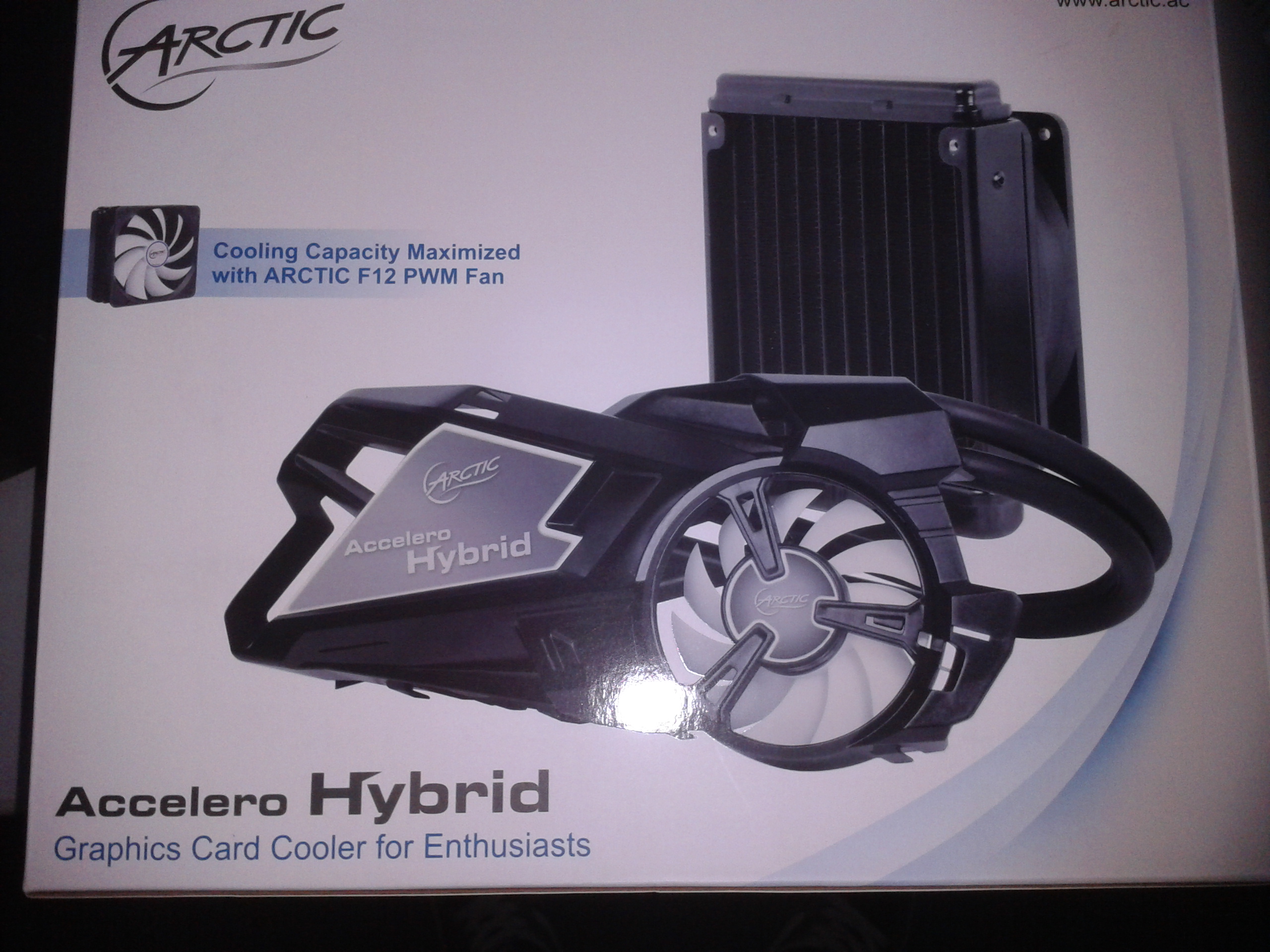
This is the Arctic Cooling Accelero Hybrid Self-Contained Watercooling Kit. It comes with one fan, all necessary hardware, along with heatsinks and thermal adhesive to allow MOSFET’s and memory chips to be passively cooled along with the active cooling on the GPU. It has pretty much the same installation procedure as a CPU self-contained watercooling kit, along with the extra step of installing the heatsinks. The instructions are a little hazy in some places, but if you have ever installed anything like it, then you should have no problem with this installation. The kit is compatible with multiple video cards, both Nvidia and AMD/ATI. Not EVERY card is compatible, most of the ones that are not are out dated, and wouldn’t be powerful enough to need one of these anyway. And even with the newer, more powerful cards, this would really only be needed if you’re running high-end games, doing some kind of photo/video editing or rendering, or if your card is just running to hot. The customer that had this card installed didn’t do any type of gaming, but was not satisfied at the temps his card was running at during rendering. The card that this product got installed on is a Nvidia GTX 570.

image 3 1024x768 Arctic Cooling Accelero Hybrid Install and Review

The first step for this installation is to remove the stock heatsink from the card, which can be done by removing all the screws from the “bottom” of the card (the side of the card that does not have the heatsink). You then slightly twist and pull the card from the heatsink. We now have a bare video card that still needs to have the thermal compound removed before installation. This is also a good time to remove any dust on the card and check for any bad capacitors or components on the board. The next step is to installed the heatsink onto the chips and other heat generating components. This step is very different between different cards, and involves a little bit of patience. There are multiple shapes and types of heatsinks included, and a component could have a short, wide heatsink, or a tall skinny heatsink, for example. So after a bit of trial and error this is what I came up with.

Image 4 1024x768 Arctic Cooling Accelero Hybrid Install and Review

These heatsinks are attached using a thermal adhesive, and it takes about 30 minutes to cure. This is a good time to get the heatsink/fan assembly together and ready to install on the card. This is one of the easier steps, all you need to do is screw the waterblock/pump into the bracket and route the coolant lines. The instructions give different routing options for different cards, so make sure that it is routed the right way. This is how it is to be setup for the 570.

Image 5 1024x768 Arctic Cooling Accelero Hybrid Install and Review

After the adhesive has cured, we can start handling the video card again. First step is to apply the thermal compound. I personally use Arctic Silver Ceramique 2 as my compound of choice. The kit does include more compound than you need for this installation, but I used mine anyway, as stock compound is never the best. It only takes about 3/4 the size of a BB, spread thinly and evenly. This is the last step before combining the heatsink assembly and video card, but I decided to be safe and give the adhesive an additional 30 minutes to cure.

Image 6 1024x768 Arctic Cooling Accelero Hybrid Install and Review

Time for the marriage of the card and heatsink assembly. the best way to do this part is to lay the heatsink assembly on the table with the copper facing upwards and to hold the video card with the heatsinks and GPU chip facing down. Then lower the card onto the assembly making sure to line up the screw holes. Make sure to line it up right before the copper waterblock and the chip touch, because if you mess up here you will have to remove and reapply the thermal compound. if you lined it up correctly, and the waterblock and GPU are making contact, twist slightly back and forth to work in the compound. Last step here is to just screw in the assembly to the card.

image 7 1024x768 Arctic Cooling Accelero Hybrid Install and Review

Installation of the video card with the new heatsink assembly can be a little tricky as you have a permanently attached heatsink hanging off the end of the card while you are installing it. You either want to hold the card in one hand and the heatsink in the other, or find a safe place in your case to set it on as you’re installing the card. The card installs the same way as any other PCI-E video card, with the added step of having to mount the radiator. Again the instructions gives many ways to mount the radiator, I went with mounting it on an exhaust fan in the back. The coolant lines can make the inside look a little messy, but this case doesn’t have a window on it so that is not a problem in this installation.

Image 8 1024x768 Arctic Cooling Accelero Hybrid Install and Review

- Results and Final Thoughts-

Prior to this installation, the card was running at 70-80C at load, which caused the fans to spin harder, caused more noise, and constantly running at those temps decreases the expected life of a card. Immediately  after installation, the card maxed at 63C at load, with room for improvement as the thermal compound takes a day or two to fully cure. The customer has been updating me on how the card is running, and after  the card has had some time to cure he reports avg overall temperature of 37-39C, which is quite a difference. And not only that, the card barely makes any noise anymore and the card is more likely to last longer. The price on the watercooling kit is about $200 depending on where you get it, which is about the same price as a mid-range video card. That in itself may hold people back from getting this setup, but if you need your card to run cooler this is definitely a good way to go. Again the instructions were a bit hazy in some places, but in all honestly that is my only complaint. Overall it wasn’t too difficult to install and did a great job at cooling the video card.

PAX Prime 2012 Badge Security Features

PAX logo 300x157 PAX Prime 2012 Badge Security FeaturesHello everyone!

It’s that time of year again, PAX Prime 2012 is just a couple weeks away.  I have managed to find my way there for a few years now and each time I had to find tickets from a third party.  This year happened to be no different, but after purchasing fake PAX bagdes last year, I wanted to make absolutely sure this time that I was purchasing the real deal.  I luckily found a good seller for a reasonable price, and with these advanced security features on the PAX badges, I am sure to get in the door without any problems.

Check out this video I made to make sure you purchase legitimate PAX Prime 2012 badges!

50% Less Spam, Internet Security Progress

spam email 300x225 50% Less Spam, Internet Security ProgressAs one of the biggest spam networks, last week the Grum network accounted for around 126 billion spam emails. Now, thanks to a coordinated effort by global internet security firms, government agencies, and internet service providers, worldwide spam generated by the Grum botnet has been shut down. This means less spam in your email, less congested internet traffic, and a more secure internet.

This shutdown marks a huge leap forward for security firms combating the ever increasing number of spam emails generated over the internet. The key flaw to the Grum botnet was that it did not have a fail-safe should all of it’s master servers go down. This made it a target for security firms for years, as the prolific botnet had a weakness which at some point could be exploited. This weakness culminated in the global offensive on spam which ended up shutting down the Grum botnet in its entirety by 2pm EST Wednesday.

Botnets are composed of computers which are infected with malware. The inected computers check a master server or receive information by some other means – usually undetected by the user – and then carry out commands issued by the master server. Those individual computers unknowingly participate in denial-of-service attacks among other internet mischief, including spam. By severing the ties between the infected computers and the master server, the infected computers no longer receive commands, and thus no longer produce spam or other harmful attacks.

Unfortunately those computers still have the malware on them, and probably any other number of viruses. Infected computers which aren’t cleaned quickly have a tendency to accumulate more viruses, as each virus opens up pathways for other viruses to get in. Although the Grum botnet is shut down, there is still a lot of work to be done. Those 126 billion spam emails last week? That accounted for only 35% of the spam actually generated. The other 15% came from another botnet which took a huge plunge in activity when Grum went down.

Tips for removing spam:

  • When you get spam email, mark it as spam – this can alert your email provider that it’s spam, and with enough users marking the same email as spam, your email provider can block those emails entirely.
  • If you use Outlook for emails, make sure to install some kind of spam filter such as SPAMfighter.
  • Some emails aren’t spam, but are definitely unwanted – check each email for an ‘unsubscribe‘ link at the bottom to remove yourself from their email list.
  • If you’re using internet email, go with one of the big providers. Google’s Gmail is 99.9% spam free, automatically without any user interaction. You can sign up for a free account here.

For the full detailed CNN article on the takedown of the Grum botnet click here.

As always, the technicians here at A Plus Computer Tech are the front-line troops when it comes to dealing with spam, malware and viruses. We combat these infections on a daily basis using our own established techniques. Due to our experience, we can happily attest that no matter how bad a virus might be, we have the experience and skills to remove it without harming your user data. If you feel your computer is infected with malware or a virus, check our virus removal page, or give us a call and we will happily assist you.

Laptop LCD Screen Flickering

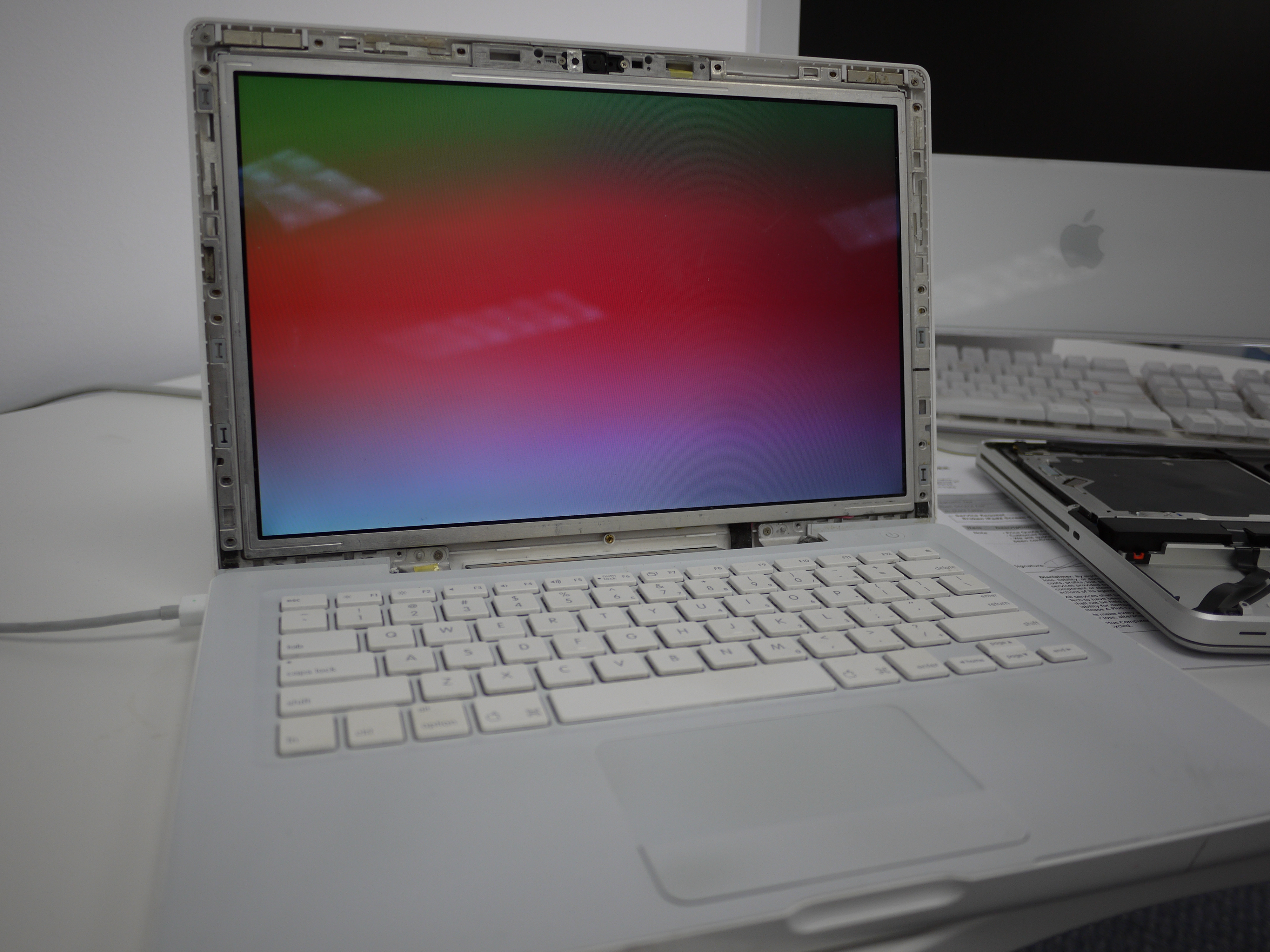
Today we have a MacBook Laptop screen that is flicking. Running some diagnostic and testing. This is kind of work we do every single day. It is kind of fun to show you our daily basis job. It is fun! Isn’t it?

Computer Model: MacBook A1181
Computer Problem: LCD Screen Flicking

Our customer said it is annoying problem that her laptop screen is flicking from time to time. She bring it for us to figure out what’s wrong with the laptop. Free diagnostic – that is right. Here at A Plus Computer Tech, we provide free diagnostic for all our customer. Why paying for the diagnostic fee if it is not even worth for the repair? After the testing and diagnostic, customer is very happy with the price quote and have us go ahead to fix it for the affordable & reasonable price.

If you have any small problem of computer, please call us and we are here to help. There is no such job is too small or too big. We cover that all. We are local professional computer repair shop that you can trust. Call us today!